

🔓 📢 Day 8/30 - DEEP DIVE SOLUTIONS : SQL, PYTHON, ETL, DATA MODELLING
Solutions for March 5th, 2025 CHALLENGE – Unlock the Full Breakdown + Live Runnable Code!

👋 Hey Data Engineers!
Welcome to Day 8 of the 30-Day Data Engineering Challenge 🚀.
Today’s Deep Dive covers:
✅ Recursive CTEs in SQL (Querying Hierarchical Data)
✅ Python Generators (Efficient Data Streaming)
✅ Streaming Data Processing in ETL (Real-Time Pipelines)
✅ Data Normalization (2NF) (Eliminating Partial Dependencies)
🔥 **Drop your thoughts in the comments & let’s keep leveling up!**👇
📌 SQL Challenge - Mastering Recursive CTEs (Deep Dive & Optimizations)
Understanding Recursive CTEs
Recursive Common Table Expressions (CTEs) allow querying hierarchical relationships using self-referencing queries.
🔹 Where It’s Used in Real-World Applications?
✅ Organizational Structures: Employees and reporting managers
✅ E-commerce Categories: Parent-child product hierarchies
✅ Graph Traversals: Social networks, recommendation engines
Run & Test on onecompiler.com
1️⃣ Open onecompiler.com, select SQL (PostgreSQL or MySQL).
2️⃣ Copy and paste the SQL query below:
-- Creating an Employee Hierarchy Table
CREATE TABLE employees (
    emp_id INT PRIMARY KEY,
    name VARCHAR(100),
    manager_id INT
);

-- Insert sample data
INSERT INTO employees VALUES
(1, 'Alice', NULL),
(2, 'Bob', 1),
(3, 'Charlie', 1),
(4, 'David', 2),
(5, 'Emma', 2);

-- Recursive CTE to find all subordinates of Alice
WITH RECURSIVE EmployeeHierarchy AS (
    SELECT emp_id, name, manager_id, 1 AS level
    FROM employees
    WHERE manager_id IS NULL  -- Start from the top-level manager (Alice)

    UNION ALL

    SELECT e.emp_id, e.name, e.manager_id, eh.level + 1
    FROM employees e
    JOIN EmployeeHierarchy eh ON e.manager_id = eh.emp_id
)
SELECT * FROM EmployeeHierarchy;
3️⃣ Click Run and analyze the results.
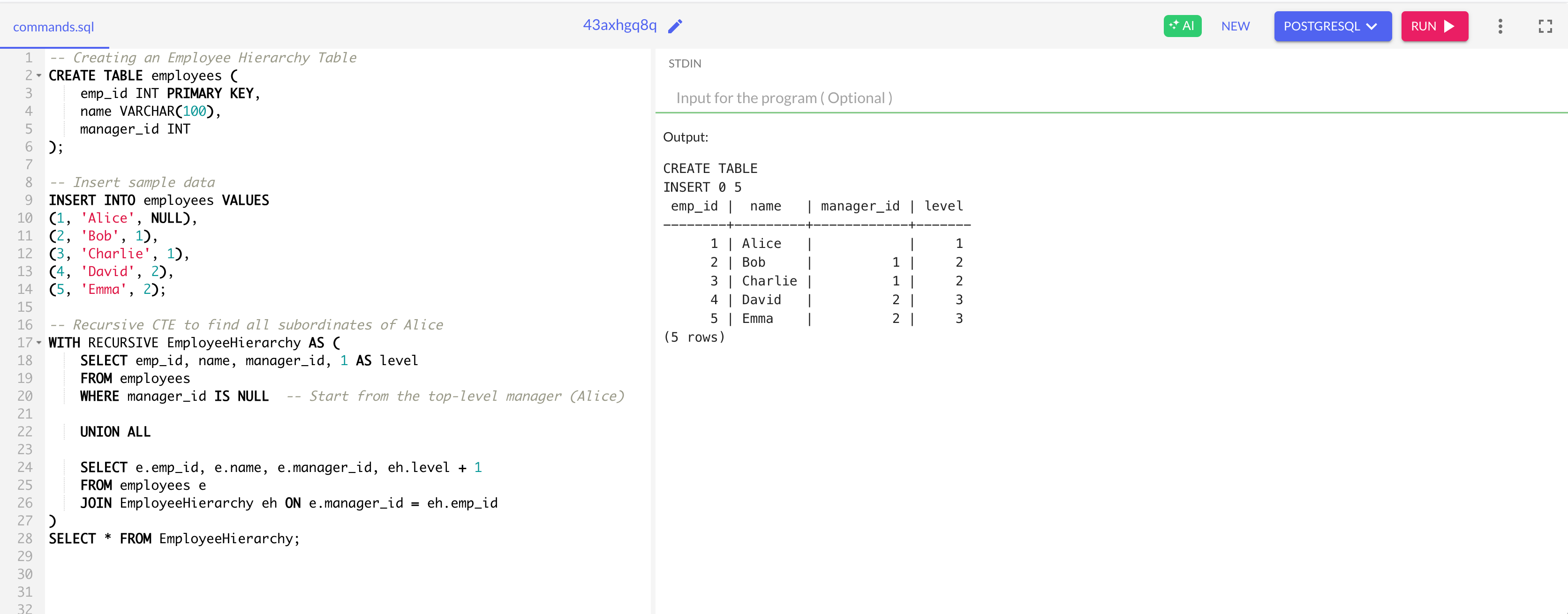
🔍 What’s Happening?
✔ Uses recursion to find subordinates at every level
✔ Ranks employees in a hierarchy with a level column
🔹 Optimizations & Best Practices
✅ Use indexes on manager_id for efficient lookups.
✅ Avoid infinite recursion by including a termination condition.
✅ Use MAXRECURSION (SQL Server) or SET statement_timeout (PostgreSQL) for safety.
🐍 Python Challenge - Generators & Lazy Evaluation (Deep Dive & Use Cases)
Understanding Generators
A generator is a function that yields values lazily, allowing efficient iteration over large datasets.
🔹 Where It’s Used in Real-World Applications?
✅ Processing large files: Read CSV/JSON data line-by-line
✅ Streaming API responses: Process paginated results from APIs
✅ Memory-efficient computations: Fibonacci sequences, infinite data streams
Run & Test on onecompiler.com
1️⃣ Open onecompiler.com, select Python.
2️⃣ Copy and paste the following script:
# Generator function for Fibonacci sequence
def fibonacci():
    a, b = 0, 1
    while True:
        yield a
        a, b = b, a + b

# Create a generator object
fib_gen = fibonacci()

# Print first 5 Fibonacci numbers
for _ in range(5):
    print(next(fib_gen))
3️⃣ Click Run and observe the output.
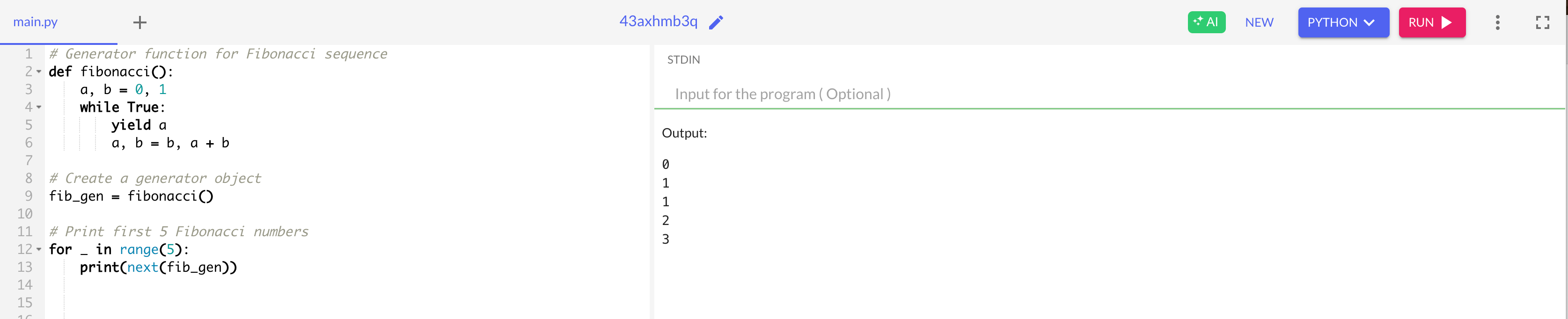
🔍 What’s Happening?
✔ Yields Fibonacci numbers one by one instead of storing them in memory
✔ Generator never terminates unless manually stopped (while True)
🔹 Optimizations & Best Practices
✅ Use yield to process large data without memory overload.
✅ Use islice(generator, n) from itertools to limit iterations.
✅ Convert generators to lists if needed: list(generator).
⚡ ETL Challenge - Streaming Data Processing (Deep Dive & Real-World Use Cases)
Understanding Streaming ETL
Streaming ETL processes data in real-time, unlike batch ETL, which works on scheduled intervals.
🔹 Where It’s Used in Real-World Applications?
✅ Log Processing: Ingest real-time logs for monitoring systems.
✅ Fraud Detection: Identify suspicious transactions instantly.
✅ IoT Data Processing: Process sensor data in real-time.
Before running the Streaming Data Processing code, ensure the following:
Prerequisites Before Starting:
✅ Basic Python knowledge (variables, loops, functions). ✅ Understanding of ETL (Extract, Transform, Load) basics. ✅ Kafka installed & running (using Homebrew or Docker for simplicity).
1️⃣ What is Kafka & Why Use It?
Kafka is a distributed event streaming platform used for real-time data pipelines and messaging systems.
It allows you to publish, store, and process streams of data in a fault-tolerant and scalable way.
2️⃣ Core Concepts in Kafka
Producers: Send messages (events) to Kafka topics.
Topics: Channels where messages are stored.
Consumers: Read messages from topics.
Brokers: Kafka servers that store topics.
Zookeeper: Manages Kafka brokers (Kafka’s “brain”).
3️⃣ Kafka Architecture Simplified
Think of Kafka like a message bus for data:
📨 Producer sends messages ➡️ 📦 Kafka stores them in Topics ➡️ 🏠 Consumer reads messages.
Run & Test Using Kafka (Simple Steps!)
1️⃣ Start Kafka & Zookeeper
Run these two commands to start Kafka:
brew services start zookeeper
brew services start kafka
2️⃣ Create a Kafka Topic
kafka-topics --create --topic events_topic --bootstrap-server localhost:9092 --partitions 1 --replication-factor 1