

🔓 📢 Day 9/30 - DEEP DIVE SOLUTIONS : SQL, PYTHON, ETL, DATA MODELING
Solutions for March 6th, 2025 CHALLENGE – Unlock the Full Breakdown + Live Runnable Code! 🚀

👋 Hey Data Engineers!
Welcome to Day 9 of the 30-Day Data Engineering Challenge 🚀.
Today’s Deep Dive covers:
✅ SQL Transactions (Ensuring Data Consistency with COMMIT & ROLLBACK)
✅ Python Multithreading (Running Tasks Concurrently)
✅ ETL Performance Optimization (Optimizing ETL Pipelines)
✅ Denormalization Trade-offs (Balancing Query Speed vs. Data Integrity)
🧠 Don’t just memorize—understand. Every challenge solution includes:
✅ Clear explanation & reasoning
✅ Why this solution works
✅ Key optimizations & best practices
If you want deep dives + runnable code to test these solutions, upgrade to the annual plan and master these concepts like a pro!
📌 SQL Challenge - Mastering Transactions & Rollback
Understanding SQL Transactions
Transactions ensure data consistency by allowing multiple database operations to be treated as a single unit of work.
🔹 Where It’s Used in Real-World Applications?
✅ Banking Systems: Ensuring money transfers are either fully completed or not processed at all.
✅ E-commerce Payments: Orders should only be confirmed if the payment is successful.
✅ Data Warehousing: ETL pipelines should roll back partial loads if failures occur.
Run & Test on onecompiler.com
1️⃣ Open onecompiler.com, select SQL (PostgreSQL or MySQL).
2️⃣ Copy and paste the SQL query below:
-- Start a transaction to create the table (this must be committed)
START TRANSACTION;

-- Create the orders table (if not exists)
CREATE TABLE IF NOT EXISTS orders (
    order_id INT PRIMARY KEY,
    customer_id INT,
    total_amount DECIMAL(10,2)
);

-- Commit the table creation so it persists
COMMIT;

-- Start a new transaction for inserting data
START TRANSACTION;

-- Insert a new order
INSERT INTO orders (order_id, customer_id, total_amount)
VALUES (101, 1, 250.00);

-- Simulate an error (this will rollback only the insert, not the table)
ROLLBACK;

-- Check if the order exists (this should return no results)
SELECT * FROM orders WHERE order_id = 101;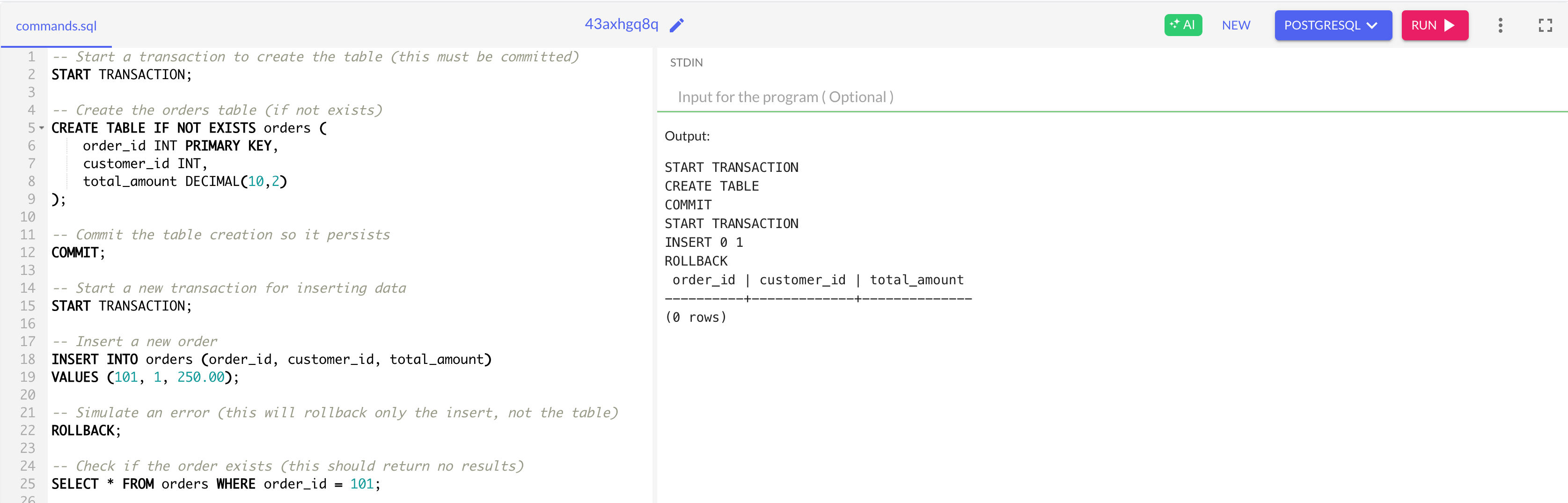
3️⃣ Click Run and analyze the results.
What’s Happening in the Output?
Table Creation & Commit
The
CREATE TABLE IF NOT EXISTS orderscommand ensures the table exists.The
COMMIT;command makes sure the table is permanently created and won’t be rolled back.
Insert & Rollback
The
INSERTstatement adds a record (101, 1, 250.00).The
ROLLBACK;command undoes the insert operation, so the data is not saved.
Verification Query
The
SELECT * FROM orders WHERE order_id = 101;query runs.✅ Output confirms (0 rows), meaning the rollback successfully erased the inserted data.
🚀 Success! Your rollback logic is working perfectly!
