

🔓 📢 Day 2/30 - CHALLENGE DEEP DIVE SOLUTIONS SQL, PYTHON, ETL, DATA MODELLING 🔥
Solutions for Feb 25th, 2025 CHALLENGE – Unlock the Full Breakdown + Live Runnable Code!

🚀 Welcome to Day 2 – The Challenge Just Got Real!
You're here because you're serious about leveling up your Data Engineering skills—and trust me, today’s deep dive is going to change the way you think about SQL, Python, ETL, and Data Modeling.
❌ No more just memorizing answers.
✅ You’ll understand, analyze, and apply these concepts like a pro.
If you've ever struggled with:
🔹 SQL Window Functions and ranking data efficiently
🔹 Debugging weird Python dictionary behaviors
🔹 Eliminating duplicates without breaking your ETL pipelines
🔹 Designing real-world data models for many-to-many relationships
Then today’s breakdown is exactly what you need.
🔥 Don’t Just Read—Upgrade & Experience It!
Every deep dive walks you through the concepts step by step—but more importantly, you get runnable code to test on onecompiler.com, so you truly grasp the concepts instead of just reading theory.
This isn’t just another tutorial—it’s your personal blueprint to mastering Data Engineering.
🚀 SQL Challenge - Window Functions & Ranking (Deep Dive & Optimizations)
Understanding Window Functions
Window functions let you perform calculations across a subset of rows without collapsing results like GROUP BY.
🔹 Where it’s used in real-world applications?
✅ Employee Salary Reports: Rank employees within a department.
✅ Leaderboards: Assign rankings based on performance.
✅ Customer Purchases: Track purchase order rankings per user.
Run & Test on onecompiler.com
1️⃣ Open onecompiler.com, select SQL (PostgreSQL or MySQL).
2️⃣ Copy and paste the SQL query:
-- Create a sample employees table
CREATE TABLE employees (
    employee_id INT PRIMARY KEY,
    department_id INT,
    salary INT
);

-- Insert sample employee data
INSERT INTO employees (employee_id, department_id, salary) VALUES
(101, 1, 90000),
(102, 1, 80000),
(103, 1, 70000),
(104, 2, 95000),
(105, 2, 85000);

-- Using Window Functions to rank employees based on salary within each department

SELECT employee_id, department_id, salary,
       ROW_NUMBER() OVER (PARTITION BY department_id ORDER BY salary DESC) AS row_number_rank,
       RANK() OVER (PARTITION BY department_id ORDER BY salary DESC) AS rank_with_ties,
       DENSE_RANK() OVER (PARTITION BY department_id ORDER BY salary DESC) AS dense_rank
FROM employees;
3️⃣ Click Run and analyze the results.
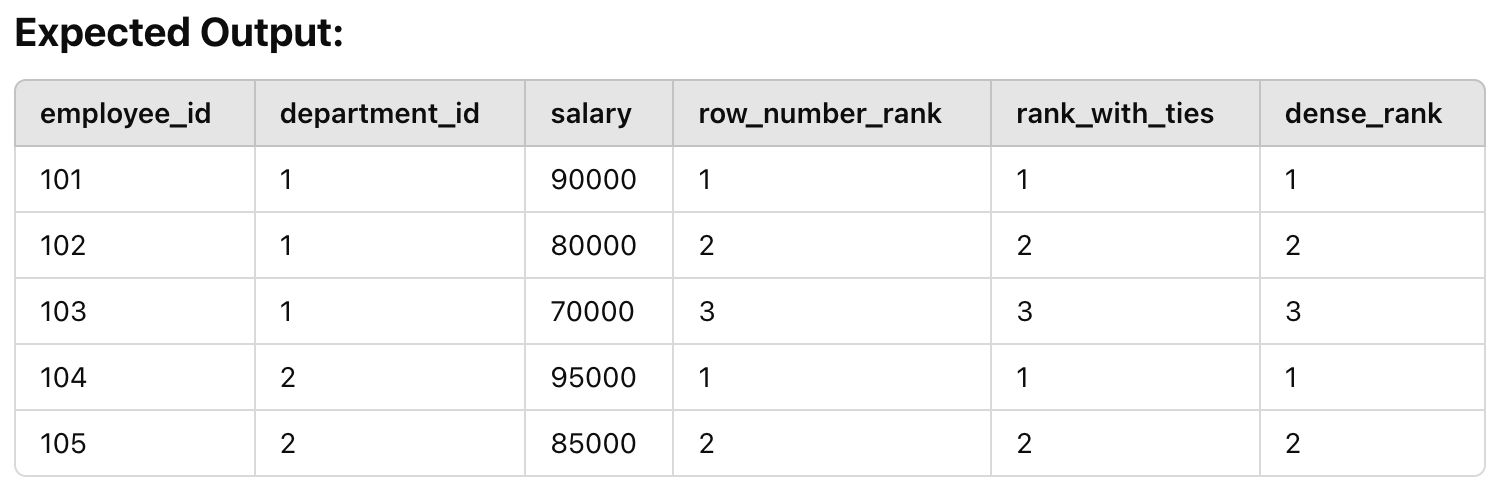
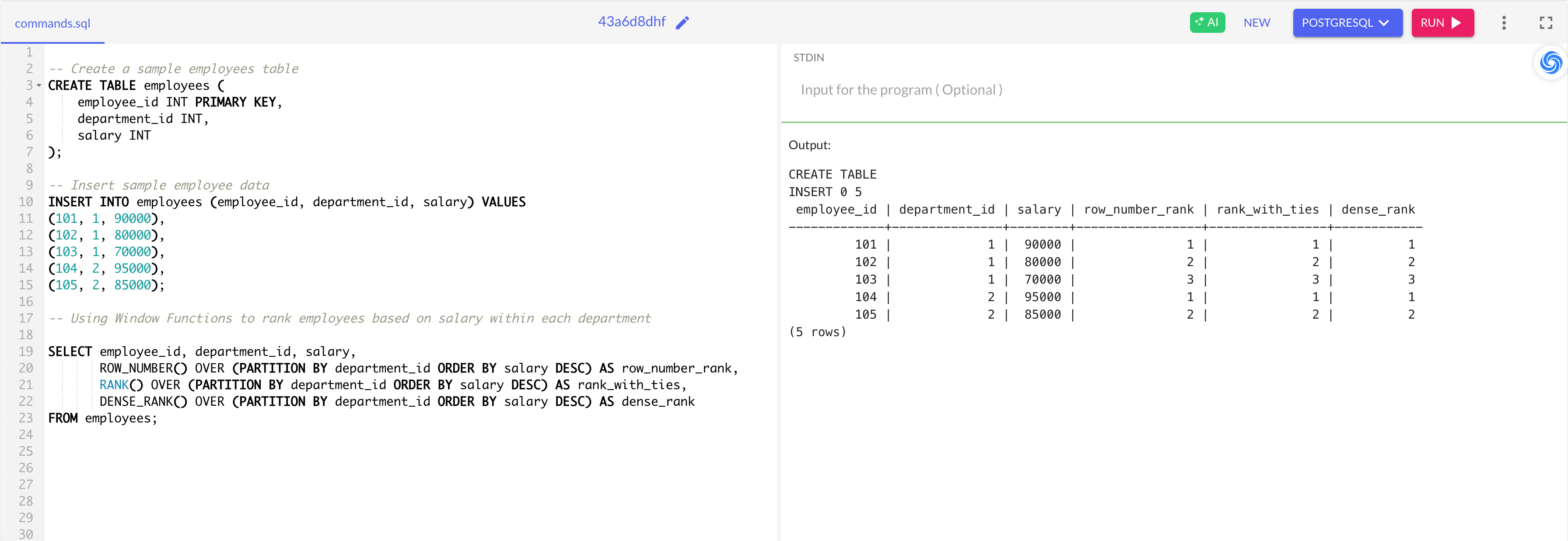
🔹 Optimizations & Best Practices
✅ Use DENSE_RANK() instead of RANK() if you don’t want to skip ranking numbers when values tie.
✅ Index department_id and salary to optimize performance for large datasets.
✅ Use PARTITION BY wisely—too many partitions slow queries down.
🐍 Python Challenge - Dictionary Mutability (Deep Dive & Fixing Bugs)
